

antidetect browser
Fury Browser
Free open-source antidetect browser on its own Chromium 157 fork with 41 published patches, for Apple Silicon Macs and Windows: no paid plans, seats or per-profile fees, free team mode on the project's server or your own, a built-in MCP server; 1 developer, unsigned Windows installer.
| Type | Antidetect browser |
|---|
| Website | furybrowser.dev |
|---|---|
| Socials | |
| In our catalog since | Nov 11, 2026 |
About Fury Browser
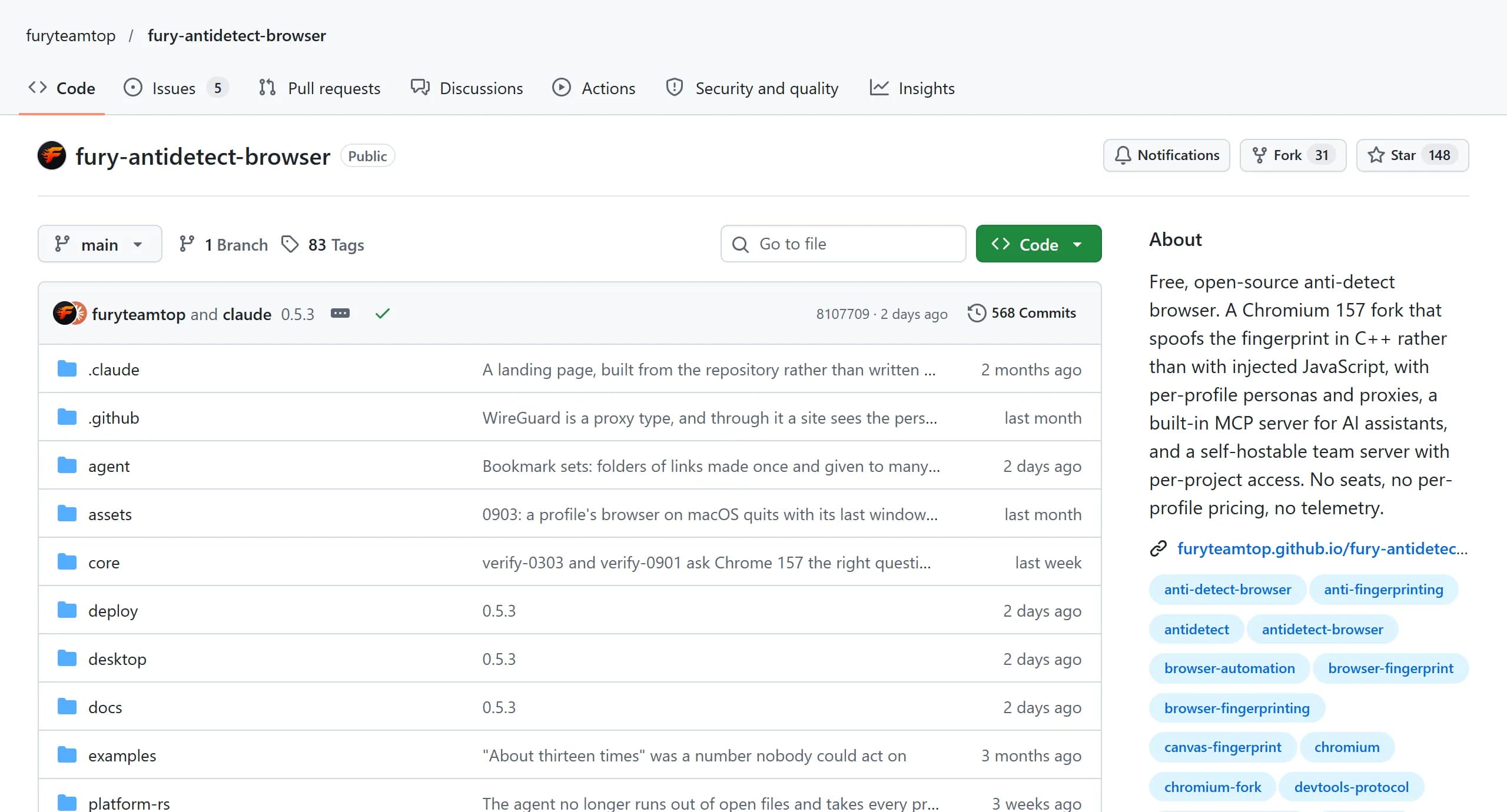
Fury Browser is a free antidetect browser for Apple Silicon Macs and 64-bit Windows, built by 1 developer, Bogdan Shapovalov. The project says there is no company behind it and nothing is sold: no paid plans, no seats and no per-profile fees, for solo users and teams alike. Profiles run on the project's own Chromium fork, and the code of the app, the agent and the team server is open on GitHub.
Fury Browser at a glance
- Price: free, with no paid tier; the author states that nothing will be held back for money, now or later.
- Platforms: macOS on Apple Silicon and Windows x64. There is no Intel Mac build and no Linux browser; Linux runs only the team server.
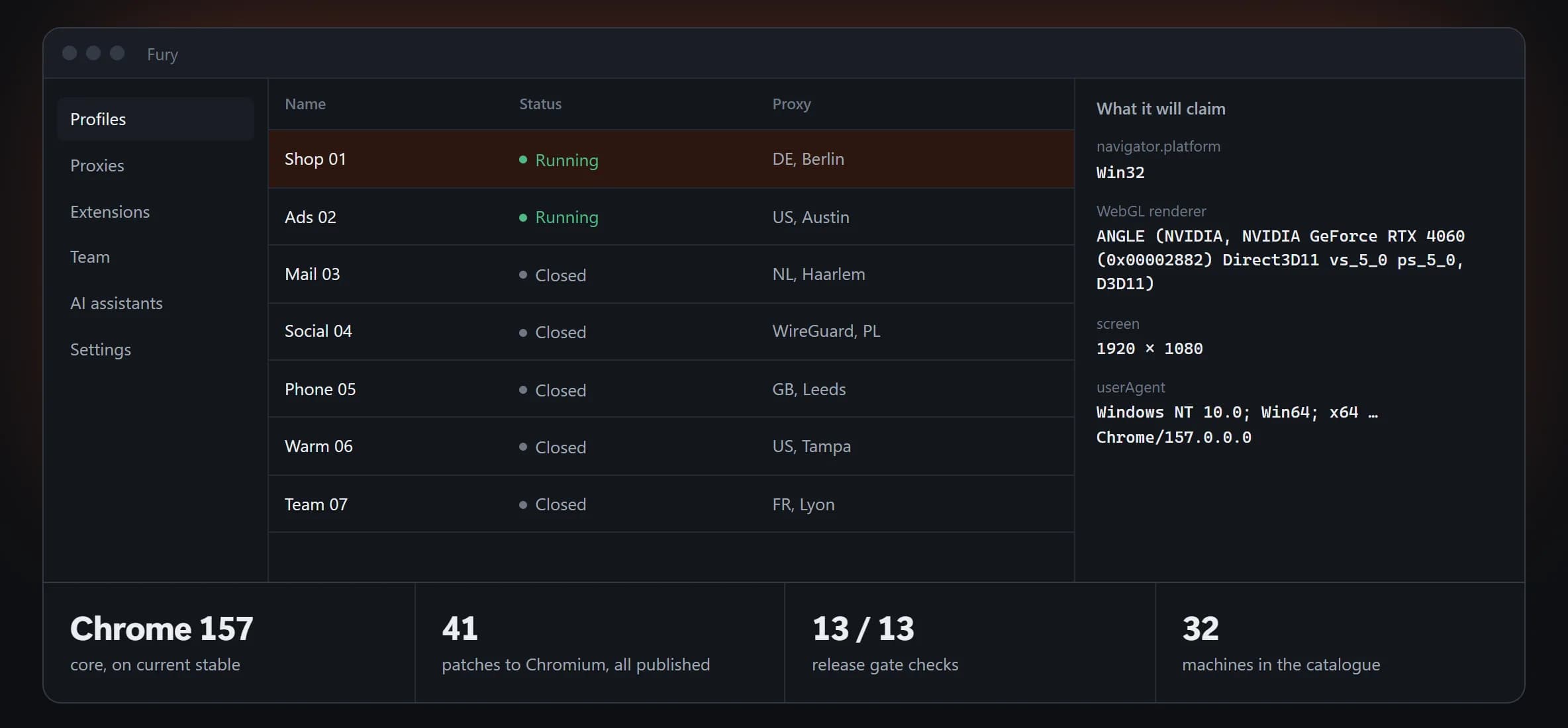
- Browser core: Chromium 157 since November 5, 2026, with 41 patches published in the repository.
- Profiles: devices from a catalogue the project puts at 32 real machines, 2 of them Android phones.
- Proxies: HTTP, SOCKS5 and WireGuard.
- Team: free, on the project's server or on your own.
- Automation: a built-in MCP server for AI assistants, a local API, Playwright and Puppeteer examples.
- License: AGPL-3.0 for the app, the agent and the server; BSD-3-Clause for the Chromium patches.
- Age: the repository was opened on August 5, 2026; 83 versions came out between August 18 and November 10, 2026.
- Affiliate program: none.
Who makes it
The project is run by Bogdan Shapovalov, who also makes SEO Fury, a WordPress plugin and Chrome extension, and runs a Telegram channel about website promotion. On November 11, 2026, the repository had 148 stars, 31 forks and 568 commits, nearly all of them his. Outside contributors sent the Chinese interface, an offline GeoIP option and 2 fingerprint fixes, and users add their own computers to the persona catalogue through GitHub issues. There is no support desk: questions go to the issue tracker and the author's Telegram.
The app, the local agent and the server are open under AGPL-3.0, and the 41 Chromium patches under BSD-3-Clause, so the core can be built from the repository; the author measured 2 hours 42 minutes for it on an Apple M5. The ready builds on the Releases page are made by the author. Each release comes with SHA256SUMS and a REPORT.md naming the core's checksum, the patch series and the commit it was built from.
How the browser works
Core and update pace
The author states that the fingerprint is changed in C++ inside the browser rather than by JavaScript injected into pages; an injection, the site says, is visible from the page, and a patch is not. The core moved to Chromium 157 on November 5, 2026, 2 days after Chrome 157 reached stable. Chromium 156 was skipped: Fury stayed on 155 until then. The app and the core update separately, the app almost every week and the core when Chromium does, and the app offers the new core by itself.
Profiles and fingerprints
- A new profile gets a machine with the computer's own operating system. Another OS can be chosen, and the app warns about it.
- A persona of another OS still reports the computer's speech voices: a Windows persona on a Mac lists macOS voices. The project lists this leak as open.
- The noise is fixed per profile: the same profile gives the same canvas hash on every read.
- The Android personas, Realme RMX5131 and Huawei P30, were captured from real phones, with their touch, pixel density and sensors.
- The network information a page reads comes from the profile, not the computer, and hidden fonts can't be found by a side route.
- Widevine DRM is taken from the Chrome installed on the computer. On a machine without Chrome the browser works without DRM, which a site can detect.
Proxies and network
- HTTP, SOCKS5 and WireGuard proxies are pasted as a list in any common format, and profiles can be created in bulk or from a CSV file.
- The check goes through the proxy itself and names the country, the city and the reason a proxy failed; a mobile proxy changes its IP by its rotation link.
- Through WireGuard, a site sees the profile's operating system in the TCP fingerprint.
- WebRTC gives pages no ICE candidates at all, as Chrome does under a corporate policy, so the real address can't leak around the proxy.
- QUIC and HTTP/3 don't go through the proxy, as in Chrome: a site that sees a visitor stay on HTTP/2 can guess there is a proxy. The project calls the signal weak and doesn't hide it.
- Each profile can have a blocklist of domains or a whitelist that opens only the sites named.
Price and how the project earns
Fury has no paid plans, seats or per-profile fees, and teams use it free as well. The author states that the app collects no telemetry. It only asks GitHub for a new version at start and every 6 hours, which can be turned off in Settings, and installs an update only on a click, after checking its signature. The project asks for money in 2 ways:
- Donations in USDT on TRC20; nothing is unlocked by them.
- Partnership with proxys.io: the codes FURY10 (10% off datacenter proxies) and FURY35 (35% off residential proxies paid by traffic) are on the site and in the app, and the site says buying with them supports development.
Team work
Working alone needs no account or server. For a team, Fury offers a free server: the project's own srv.furybrowser.dev with open sign-ups, or the team's own Linux server as a ready binary or Docker image with PostgreSQL 16, from 1 CPU and 1 GB of memory.
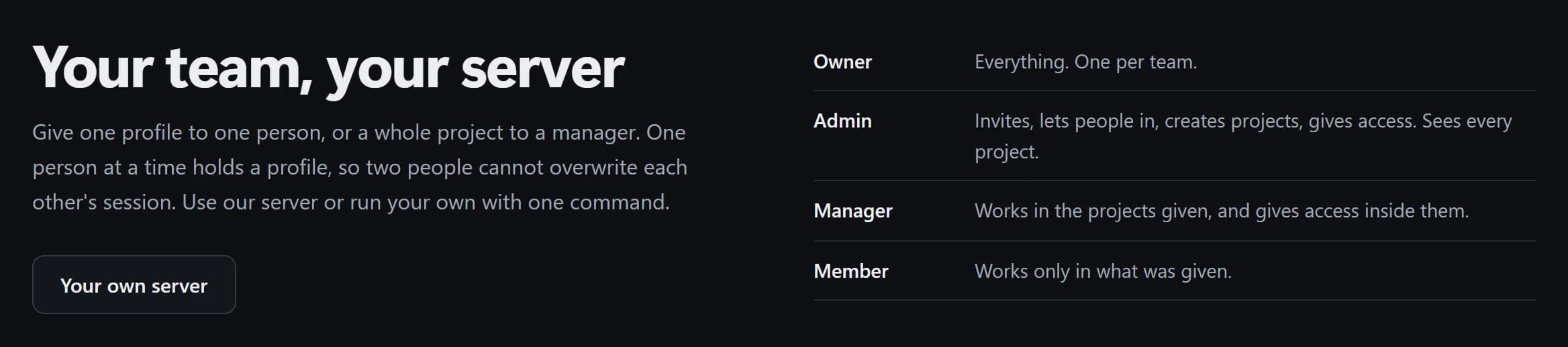
- 4 roles: owner, admin, manager and member, with a permission on every action, such as running a profile without exporting its cookies.
- Lock: only 1 person holds a profile at a time, so 2 people can't overwrite each other's session.
- Revoking access takes 1 click, unlike an exported profile file, which stays with the person for good.
- Encryption: profiles are encrypted on the user's computer, so the server can't read them.
- Shared logins: a profile carries logins with passwords and 2FA secrets, and the app computes the 2FA codes.
- Audit log of the team's actions.
The acceptable use policy warns that the ban on exporting data stops a dishonest employee without special skills, not someone with admin rights on their own computer who dumps the process memory.
Automation, AI and import
- MCP server built in: Claude Desktop, Claude Code or Cursor connect with 1 button and, on a request in plain words, create profiles and proxies, open them, go to sites, click, type, take screenshots and warm profiles up. Proxy passwords don't reach the assistant, and it can't delete a profile for good.
- Local API: 6 endpoints with a token, off by default, with curl, Playwright and Puppeteer examples and a script that runs a job across every profile.
- CDP access is off by default: the project measured that a site can notice an automation connection by timing and says this can't be hidden.
- Warm-up visits ordinary sites with pauses and scrolling, so a profile gathers everyday cookies; window sync repeats clicks and typing across profiles.
- Extensions install from the Chrome Web Store through the profile's proxy and keep their login when a profile is cloned, so a wallet or an anti-captcha stays signed in.
- Import from GoLogin, Dolphin Anty, AdsPower, Undetectable, Kameleo and Vision: names, notes, tags, start pages, proxies with passwords and cookies come over, fingerprints don't.
- Account import: lines with login, password, 2FA secret, cookies, token and email, with 1 proxy per account.
- Bookmark sets go to chosen profiles or to all of them since version 0.5.3.
What checkers show
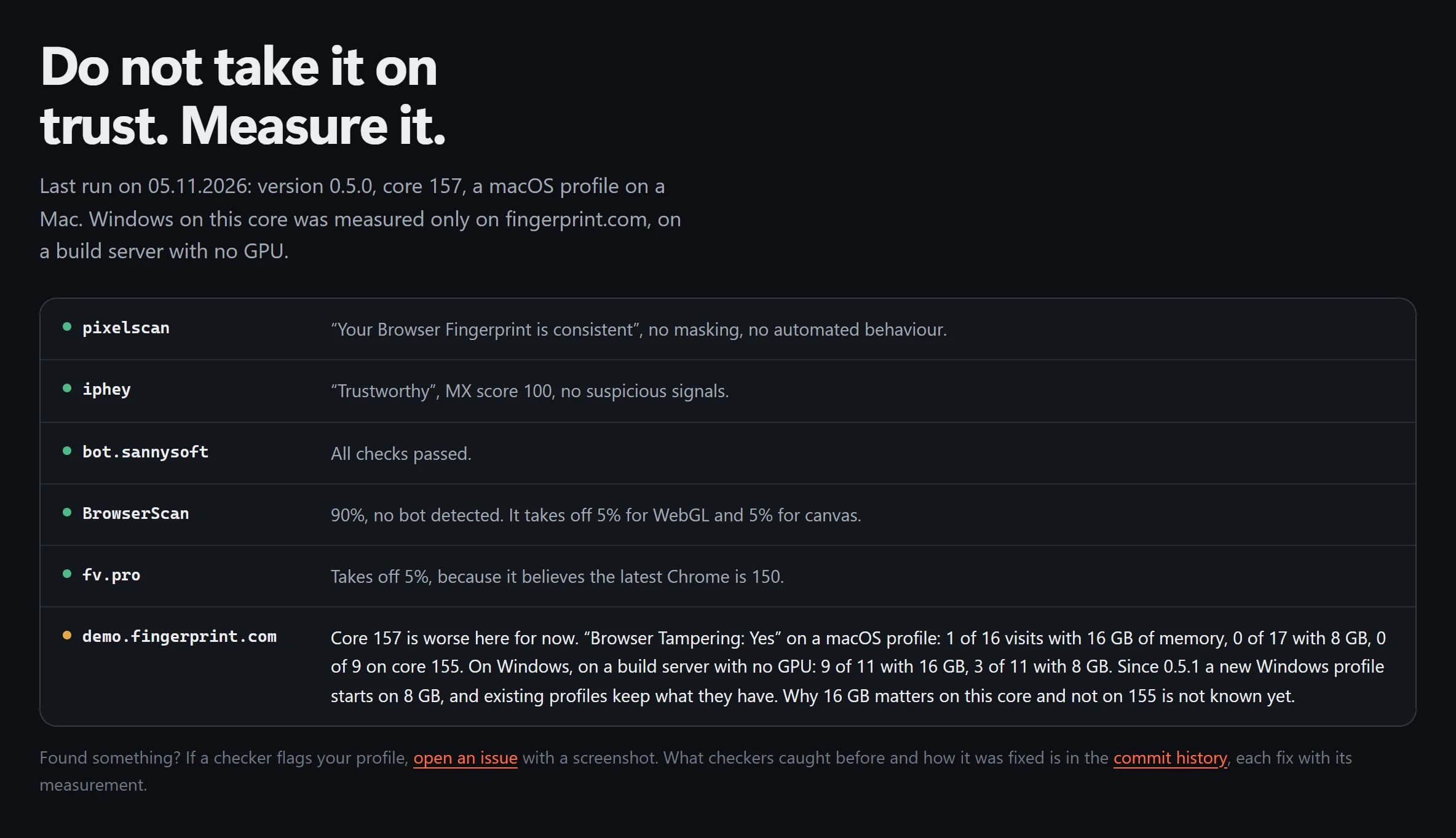
The project publishes its own checker runs; we haven't tested Fury ourselves. The last run, on November 5, 2026, used version 0.5.0 with a macOS profile on a Mac:
- pixelscan: "Your Browser Fingerprint is consistent", no masking.
- iphey: "Trustworthy", no suspicious signals.
- bot.sannysoft: all checks passed.
- BrowserScan: 90%, with 5% off for WebGL and 5% for canvas.
- fv.pro: 5% off, because it takes Chrome 150 for the latest version.
- demo.fingerprint.com: "Browser Tampering" in 1 of 16 visits with 16 GB of memory and in 0 of 17 with 8 GB. Windows on core 157 was tested only here, on a build server without a GPU: 9 of 11 visits were flagged with 16 GB and 3 of 11 with 8 GB. New Windows profiles have started with 8 GB since version 0.5.1.
How to install
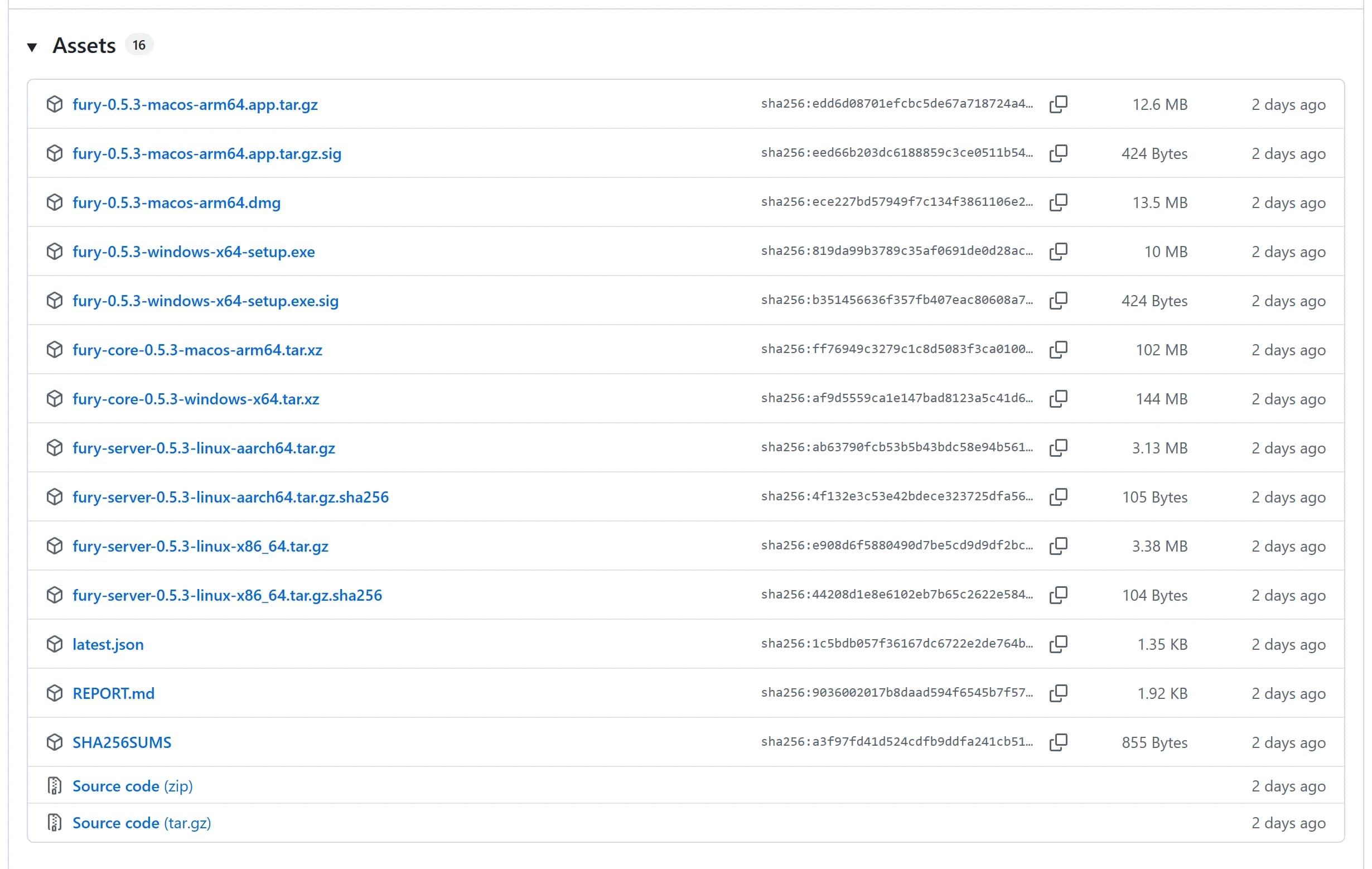
- Download the app from the Releases page or the site: a .dmg for Apple Silicon Macs (13.5 MB in version 0.5.3) or a setup.exe for Windows (10 MB).
- On Windows, SmartScreen stops the unsigned installer: choose More info, then Run anyway. The macOS builds have been signed and notarized by Apple since September 21, 2026.
- At first start, the app offers to download the browser core: 102 MB for macOS and 144 MB for Windows in version 0.5.3.
- Check the files against SHA256SUMS from the same release.
Rules of use
The acceptable use policy names managing several legitimate business accounts, including ad accounts and agency client accounts, as well as ad verification, QA and scraping within a site's terms among supported uses. It rules out ad fraud, mass automated registration and bypassing identity checks required by law, and requests to beat a specific platform's verification are closed in the issue tracker. The project ships no scripts for particular platforms. The policy isn't a license restriction: the code is AGPL and can be run however the user likes.
Pros and cons
Pros
- Free for solo users and teams, with no per-profile fees.
- A fresh core: Chromium 157 arrived 2 days after Chrome 157, and all 41 patches are public.
- A free team server with roles, a profile lock and encryption on the user's computer.
- A built-in MCP server and import from 6 other antidetect browsers.
Cons
- 1 developer and no company, and the project is 3 months old.
- An unsigned Windows installer, no Intel Mac build and no Linux browser.
- On core 157, demo.fingerprint.com flags some profiles in the project's own tests.
- A persona of another OS leaks the computer's speech voices.
- No WebRTC through the proxy, and QUIC gives the proxy away, as in Chrome.
- The documentation is mostly in Russian; the interface has 15 languages, 12 of them machine-translated.
aliencpa review
We haven’t reviewed Fury Browser yet
The facts above come from public sources and the company itself. Member reviews below are open: if you worked with Fury Browser, tell others how it went.
Compare Fury Browser with other antidetect browsers
- Average rating 5.0
- Average rating 4.8
- Average rating 4.8
- Average rating 4.7


Member reviews of Fury Browser
No member reviews yet. Member reviews count 5 times more than ratings from other sites. Sign up free to write one.
No member reviews yet. Be the first to rate Fury Browser.
Loading…
Are you this company? Claim the page
Fury Browser is listed in our antidetect browser catalog. Paid packages can pin a card and extend it; they never buy a rating, a review or a verdict.
Comments on Fury Browser
Open to everyone, no sign-up. Comments don’t change the rating.
No comments yet.
Add a comment