


The Reality of the Video Selfie Filter
A Facebook video selfie in 2026 is like a digital "fitness test"—the system asks you to turn your head in front of the camera. For Meta, it's a way to confirm there's a real human behind the account, not a bot. But for affiliates, this "humanity filter" has become the main trigger for losing accounts. Here's what that "letter of happiness" typically looks like:
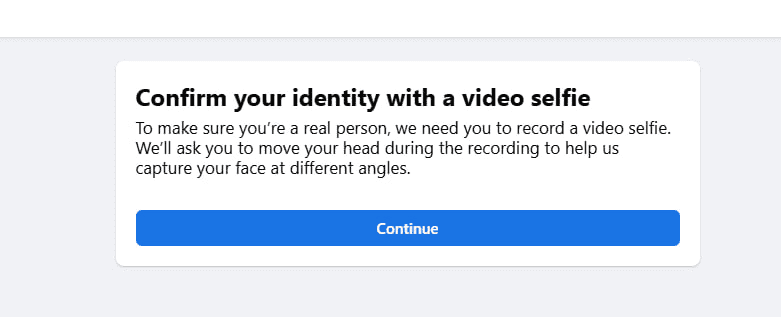
Let's be real: If your account already gets sent to video selfie, your chances of recovery are about 50/50. It's far more effective—and much cheaper—to play offense by setting up your accounts so the algorithms never get suspicious in the first place and you build maximum trust from the start. This "immortality" strategy is built on a set of simple, logical steps. But these are exactly what most buyers ignore (or just get lazy about weaving into their daily process). In this guide, we'll break down each level of defense: the technical side with Passkey, behavioral side with page warming, and financial side through Meta Pay.
A Paradigm Shift in Account Verification
Let's be honest: banking on luck is the fastest way to burn your entire ad budget. Our tests on 500+ accounts, each aged 120+ days, proved one thing—if you want to survive, you need an ironclad trust profile from the very start. The "immortality" playbook comes down to three basic pillars: technical trust (Passkey), behavioral trust (warming up your Fan Page), and financial trust (Meta Pay). Skip any of these, and you'll keep churning through fresh accounts—while those who get it right sail under the radar and stack that ROI.
Establishing Digital Immunity Through Passkeys
Your first shield is setting up a Passkey—a passwordless login built on cryptography. For Facebook, this is as good as gold—it literally locks your account to a real device. On a MacBook, the process is simple: just follow the direct Passkey center link or find it manually under Password and Security → Security Checkup → Passkeys. You'll get prompted to use Touch ID or your Mac password. That's ideal—Meta gets a whiff of your device's biometrics and instantly marks your account as top-tier legit.
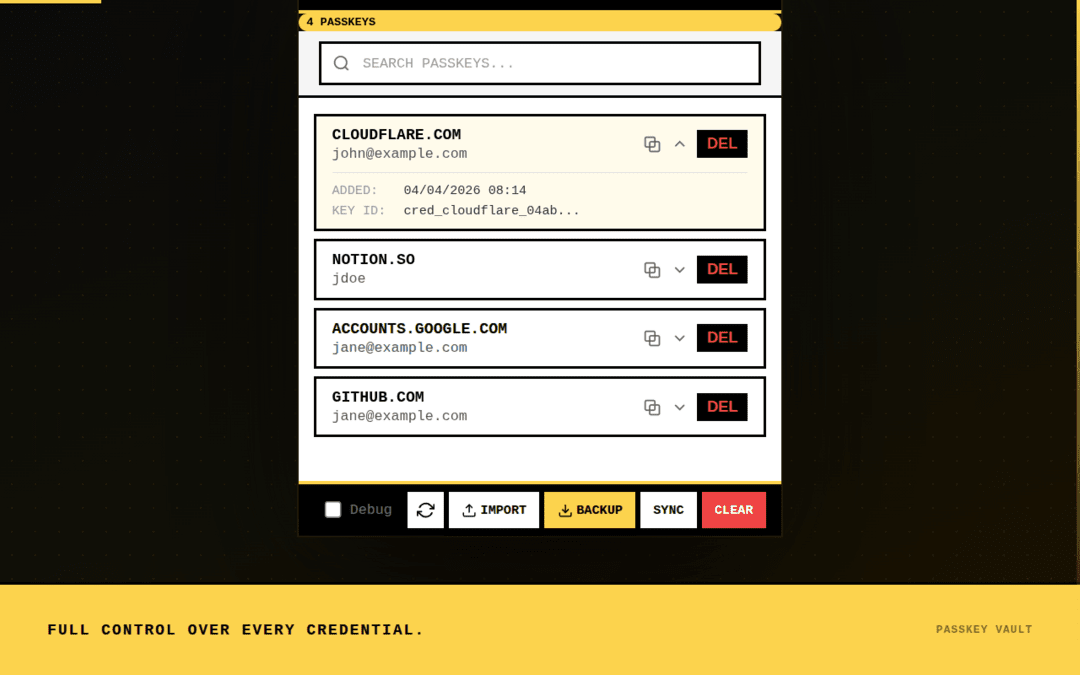
Windows user? You'll need a PassKey Vault extension. Install it on your anti-detect browser profile, then create your access key in Facebook's security settings through this extension. Whatever you do, back up your key somewhere safe—this is your "passport" that'll let you log in anytime, zero extra checks. Set it up right, and you've got digital immunity before you ever launch a campaign.
The Importance of Fan Page History
The second pillar is all about prepping your Fan Page properly. The main reason people get hit with the selfie check is dropping a hot campaign on a brand-new page. Some still try to wing it—"I'll throw $10 for reach, let it spend, and I'm good to go!" That trick doesn't work in 2026. To Meta's algorithms, that kind of warmup looks cheap and fake, and the second you flip to your main offer, you'll trigger an instant identity check.
Here's the actual play: your Fan Page needs real history. This isn't just a number in Business Manager—it's about building trust brick by brick.
- Age matters: Use pages that are at least 120 days old. Older pages give your account way more leeway to run aggressive creatives.
- Budget logic: Start by warming up with engagement or like campaigns for $2–$3 per day. Your goal isn't just to bleed spend, but to show FB your page is alive, posting legit content, and getting organic reactions.
- Duration: Let the page warm up on safe, white offers for 2–3 days. Wait until you see at least one or two successful billing charges go through. Only after the account has proven itself as both solvent and sensible should you carefully introduce your main campaign.
Do this, and you're stacking up trust for the moment when it counts—drastically slashing the odds you'll get flagged for a video selfie in the first place.
Securing the Meta Pay Anchor
The last, and probably most underestimated, layer of defense is Meta Pay. Just linking your card in Ads Manager won't cut it anymore—in fact, this often lands you in the "suspicious buyer" category, especially if you're using a virtual card. The real key is to go into your personal Meta Pay wallet and link your card there. This one step rewires your account's status in Meta's eyes. Suddenly, you're not just a random buyer with a disposable virtual—you're a full-fledged user of Meta's financial ecosystem. For the algorithm, this is as "real" as it gets, and it becomes a powerful trust anchor that often prevents the video selfie prompt from showing up at all.
Securing Long-Term Stability
Let's sum it up: running campaigns "head-on" is dead in 2026—Facebook's simply too sharp for brute force tactics. You win now by blending in, not bulldozing through. Your triple-threat protection—Passkey, a well-aged Fan Page, and Meta Pay—aren't just nice extras, they're your foundation for bulletproof trust.
The Passkey cements your account to real hardware, a Fan Page with real spend history proves your intent, and Meta Pay wipes away any doubts about your financial legitimacy before you even start running paid traffic. Our tests on 500+ accounts speak for themselves: the rate of selfie checks and rejections plummeted to 2.4% after deploying this trifecta. Most buyers skip these basics out of laziness or hurry—and end up endlessly burning through accounts. But in today's game, dialing in your trust setup is worth way more than trying to shortcut your way to profit. Invest the time up front, lock in that credibility, and you'll breeze through turbulence while everyone else is stuck taking selfies. Good luck out there—here's to smooth launches and fewer checks!